 SwitchSetup
⚡
Always the latest versions
Every file comes straight from the official GitHub release of each project. Nothing is re-hosted, so nothing goes stale.
Free · Open source · No ads
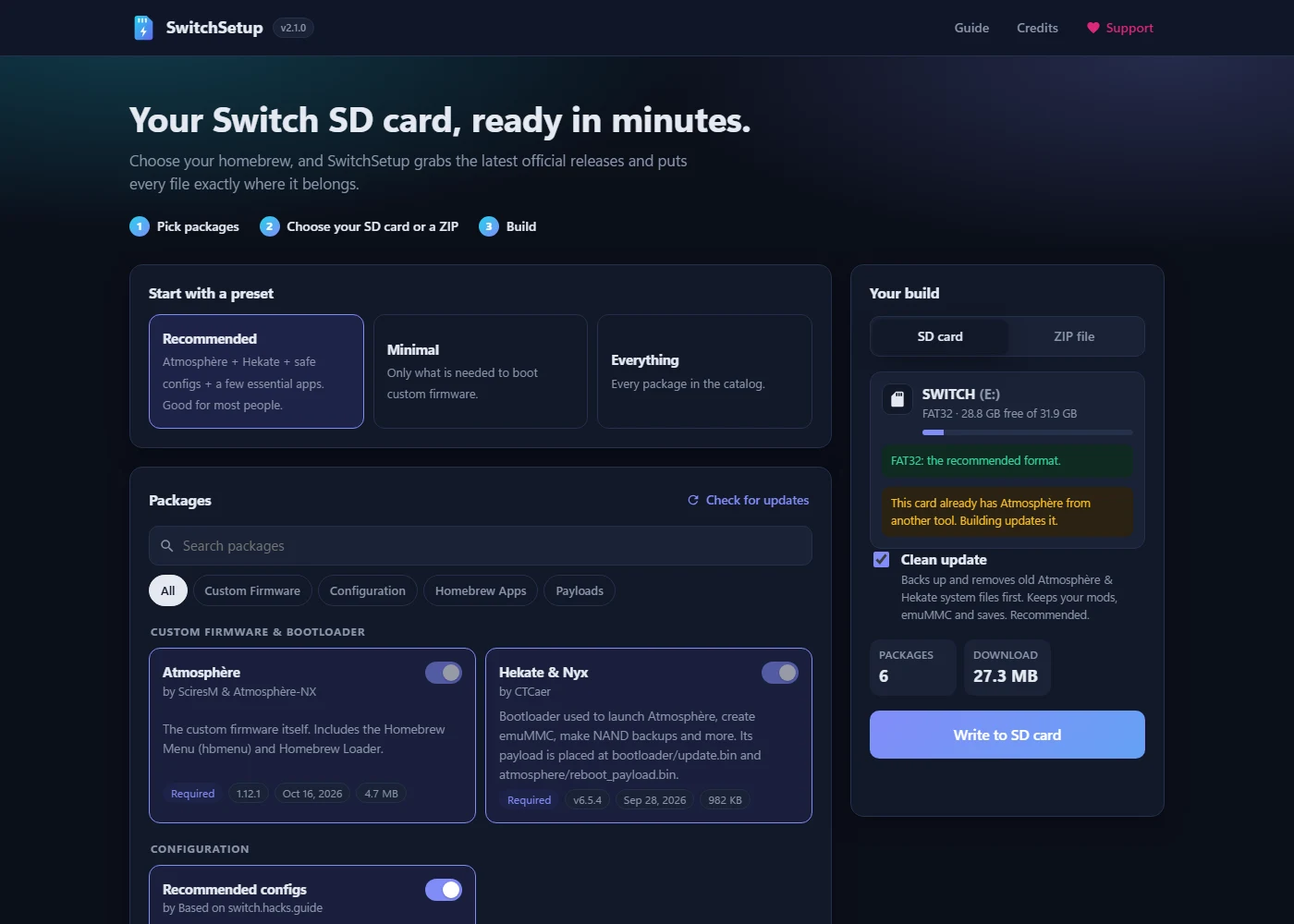
Pick your homebrew. SwitchSetup downloads the latest official releases of Atmosphère, Hekate and your favourite apps, and writes every file to your SD card exactly where it belongs.
Nothing to install: works in any browser on Windows, Mac and Linux.
Built to be the easiest and safest way to set up or update a homebrew SD card.
Every file comes straight from the official GitHub release of each project. Nothing is re-hosted, so nothing goes stale.
Build online and get a ready ZIP, or write straight to your SD card in Chrome and Edge. Nothing to install.
SwitchSetup remembers what it installed and shows exactly which packages have updates the next time you plug the card in.
It only lists removable drives, downloads everything before touching the card, and backs up your old files on clean updates.
Your games, saves, emuMMC, Nintendo folder and mods in atmosphere/contents are never touched.
Includes the switch.hacks.guide recommended configs: a ready boot menu and host files that block Nintendo's servers.
Open the online builder and start from the Recommended preset, or choose exactly what you want.
Download a ready ZIP, or select your SD card and SwitchSetup writes the files for you.
Files with the same name are replaced with the new versions automatically. Eject the card and put it in your Switch.
Every package is optional except the two needed to boot. Each one belongs to its authors.
Yes, completely: no ads, no accounts, no tracking. If it saves you time, you can support it on Ko-fi.
No. The online builder works in any modern browser. The Windows app is optional: it adds automatic SD card detection, an eject button and backups on your PC.
Files with the same name are replaced with the new versions, with no errors or prompts when writing directly to the card. When extracting a ZIP yourself, choose Replace the files in the destination. Your games, saves and other files are left alone.
That message appears for new apps that aren't code-signed yet. Click More info → Run anyway. The app is open source, and it's built automatically from the code on GitHub, so you can check exactly what it does.
No. SwitchSetup only prepares the SD card. To run custom firmware you need a console that can boot payloads (an unpatched Switch in RCM mode, or one with a modchip). Follow switch.hacks.guide to learn whether yours can, and how to set up an emuMMC.
Any homebrew carries some risk. The recommended configs reduce it: they block Nintendo's servers and hide your console's serial number on emuMMC. Keep homebrew on an emuMMC and stay offline in CFW.
No. It only replaces Atmosphère, Hekate and the apps you pick. A clean update backs up the old system files to your PC first.
No. SwitchSetup doesn't include or link to piracy tools, signature patches or game files.
Yes: use the online builder. It works on every system. Writing straight to the SD card needs Chrome, Edge or Opera; in other browsers, download the ZIP.
SwitchSetup is free and ad-free. Donations pay for the domain and the time spent keeping packages working when projects change.
Support on Ko-fi